
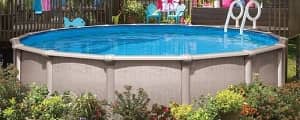

A sand filter uses a multi-port valve to operate the filter which removes dirt, algae and visible contaminants that enter a swimming pool. You must operate the filter system at least eight to twelve hours per day in order to remove wastes effectively.

| Table of Contents |
| Before You Move the Handle |
| Sand Filter Settings at a Glance |
| What Each Setting Does |
| Frequently Asked Questions |
Before You Move the Handle
Shut the pump off completely and let the pressure drop before moving the multiport handle to any position. Turning the valve under pressure is the most common cause of a torn spider gasket, and it can damage the valve body itself. Always seat the handle fully in a position rather than leaving it between two, since a half position routes water across multiple channels and wears the gasket quickly.
Procedures vary slightly by manufacturer, so check the manual for your specific filter.
Sand Filter Settings at a Glance
|
Setting |
What it does |
When to use it |
Pump |
| Filter | Normal filtration through the sand bed | Everyday running and vacuuming | Off to switch, on to run |
| Backwash | Reverses flow to flush dirt out of the sand | When pressure climbs 8 to 10 psi above your clean baseline | Off to switch, on to run |
| Rinse | Settles the sand bed and clears the tank to waste | Immediately after every backwash, and after adding or replacing sand | Off to switch, on to run |
| Waste | Sends water straight out the waste line, bypassing the sand | Vacuuming heavy dirt or algae, lowering the water level | Off to switch, on to run |
| Closed | Blocks all flow into and out of the filter | Service only | Must stay off |
| Winter | Parks the valve so the gasket is not compressed all season | Closing the pool where water can freeze | Must stay off, system drained |
| Re-circulate | Bypasses the filter tank entirely | Extended absences, or a leaking or cracked tank | Off to switch, on to run |
What Each Setting Does
Filter
Use for normal filtration or vacuuming the pool.
Backwash
Used to clean filter sand. Turn the pump off, set the multi-port valve to backwash, then restart the pump for several minutes, or until the sight glass shows clear water. Then rinse the filter. (See Rinse below.)
Backwash when your pressure gauge reads 8 to 10 psi above its clean baseline, not on a fixed schedule. To find your baseline, note the gauge reading right after a fresh backwash and write it down. Backwashing too often wastes water and disrupts the sand bed before it needs it.
Rinse
To clean the water inside the filter tank. Turn the pump off, set the multi-port valve to rinse, restart the pump and run clean water through the system for one minute.
Rinse after every backwash. Backwashing leaves the sand bed unsettled and the water in the tank cloudy, so the rinse cycle packs the sand back down and sends that leftover dirty water out the waste line instead of back into your pool. This should also be done every time filter sand is added or replaced.
Waste
Turn the pump off before switching to this position. Use for vacuuming heavy concentrations of dirt directly to waste. This action bypasses the filter bed. It can also be used to lower the water level or drain the pool to the bottom of the skimmer.
Closed
Use for shutting off the flow to the filter and pool. Make sure your pump is off when using this function, and never start the pump while the valve is closed.
Winter
Used when closing a pool, especially in areas where water can freeze. Set this position with the pump off and the system drained. Be sure to remove all drain plugs from the pump and filter system. Winter plugs can be stored in the pump basket for safekeeping until spring. The pump and filter must be completely drained, as expanding water can cause damage that is not covered under warranty.
Re-circulate
Turn the pump off before switching to this position. Use for bypassing the filter tank. It is useful during extended periods away from the pool. This function permits automatic chlorinating systems to maintain proper chlorine levels while eliminating concern over pressure build-up in the filter. It also works well if your sand filter tank is leaking or has cracked.
Most of the time the handle stays on Filter. The other six positions each solve one specific problem, and knowing which one to reach for saves both time and equipment. When it is time to replace the filter itself, we carry sand filters for both inground and above ground pools.

Frequently Asked Questions
Can I move the multiport valve handle while the pump is running?
-
No. Always shut the pump off first and let the pressure drop. Turning the handle under pressure is the most common cause of a torn spider gasket, and it can damage the valve body itself.
What is the difference between backwash and rinse?
-
Backwash reverses the water flow to flush trapped dirt out of the sand bed. Rinse runs immediately afterward to settle the sand back down and send the remaining cloudy water out the waste line rather than back into the pool. Skipping the rinse pushes stirred-up debris straight into your pool.
How long should I run my filter each day?
- Run the filter system at least eight to twelve hours per day to remove wastes effectively. Adjust upward during heavy use or hot weather.